A Coach That Reads Your Data, Not Just Displays It
Most training platforms show you numbers. LoadLab works out what they mean. It builds one picture of you from your training, recovery, goals, schedule, local terrain and weather, and every feature works from it.
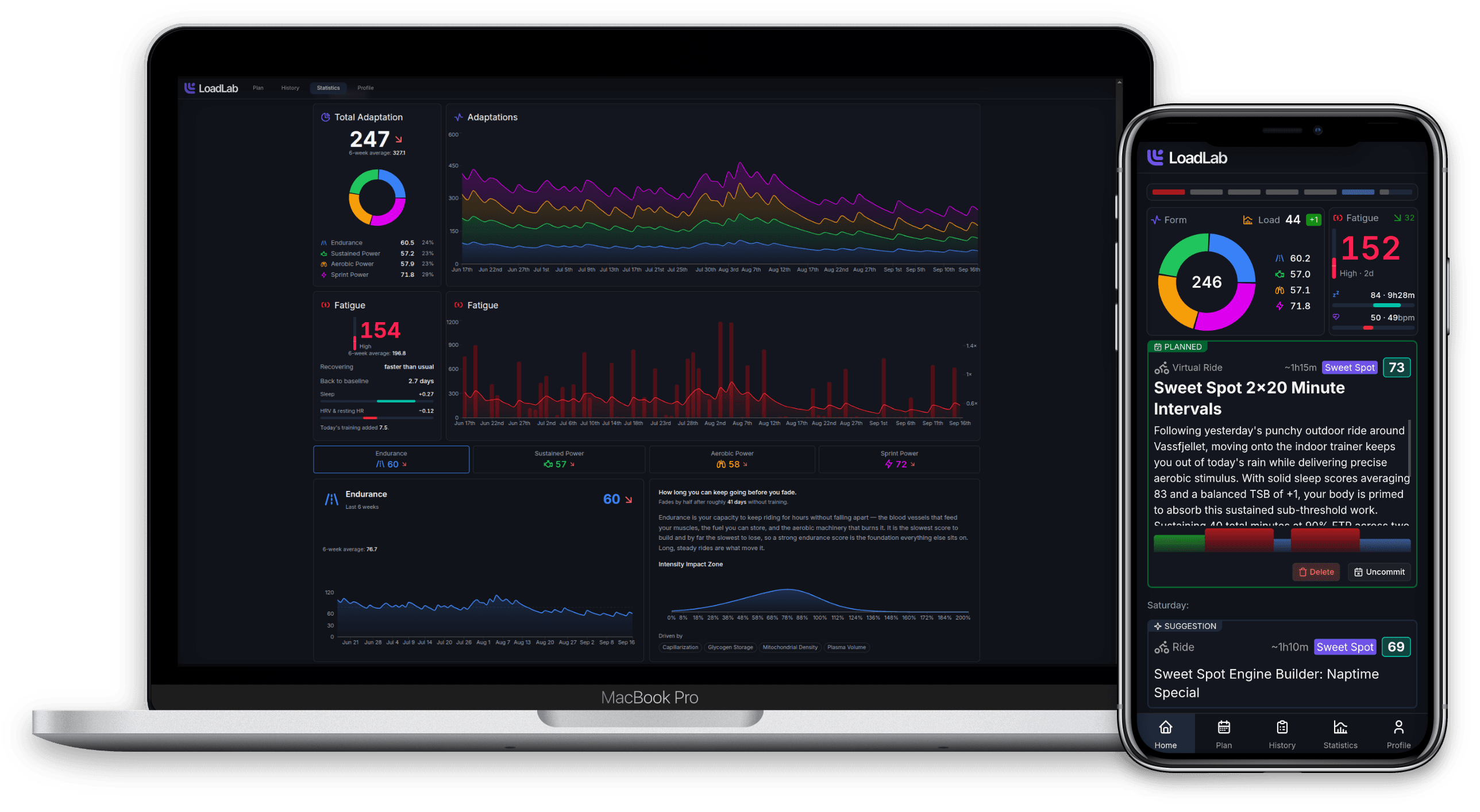
What should I do today, and am I ready for it?
Open LoadLab and the answer is right there: today's session and why it's the right one, what's coming next, and how your body is handling the block.
- Today's workout, or the ride you already did, matched against the plan
- Adaptation, fatigue, sleep and HRV at a glance, updated every day
- Week-by-week progress through your current training block
- Nothing planned? One tap asks the coach for a session
Know what your training is actually building
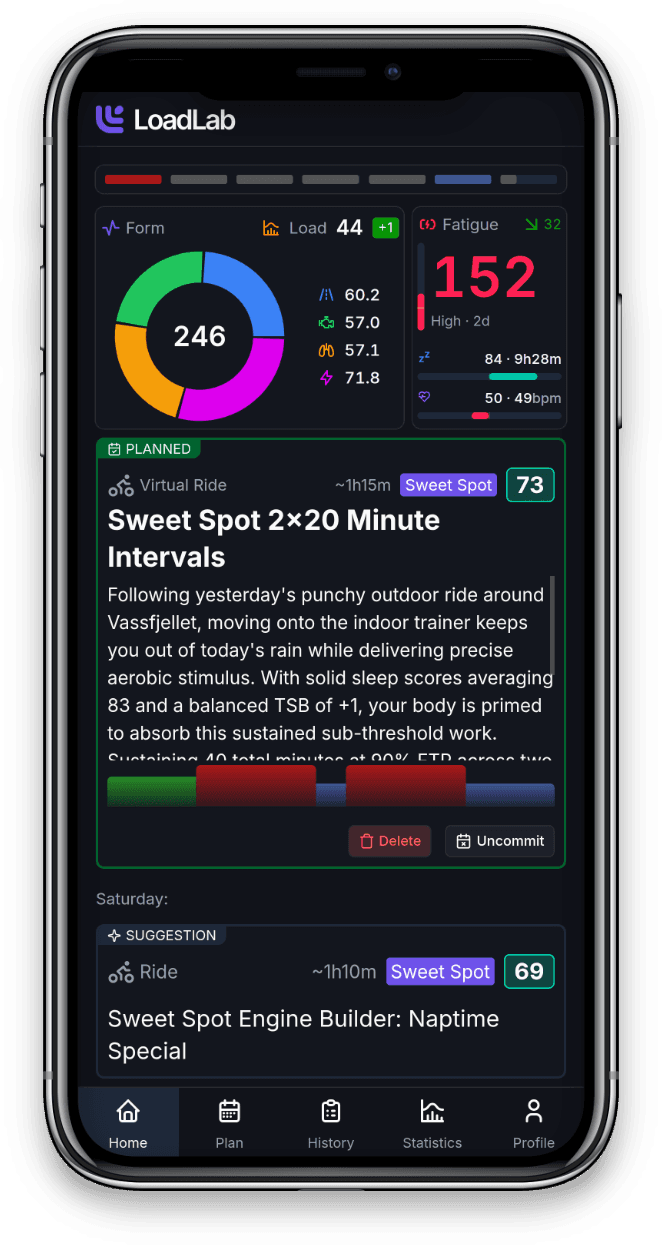
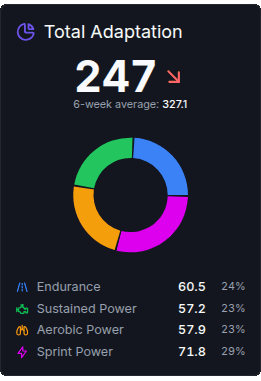
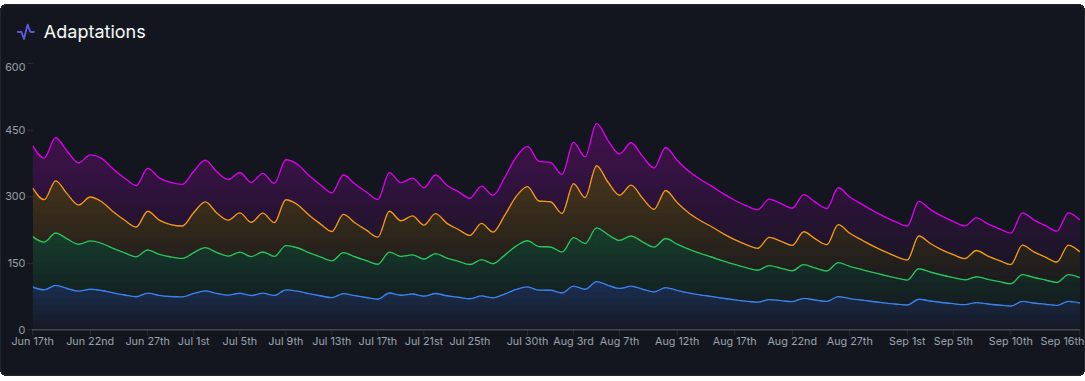
Fitness isn't one number. LoadLab tracks the seven systems training actually changes, and scores every ride's power and heart rate against each one, so a three-hour endurance ride and a VO2max session build visibly different things.
- Capillarization, plasma volume, mitochondrial density, glycogen storage, lactate threshold, VO2max and neuromuscular power
- Rolled up into endurance, sustained power, aerobic power and sprint power scores
- Each adaptation fades at its own rate, so you see what you're building, holding and losing
- See exactly what any single ride contributed
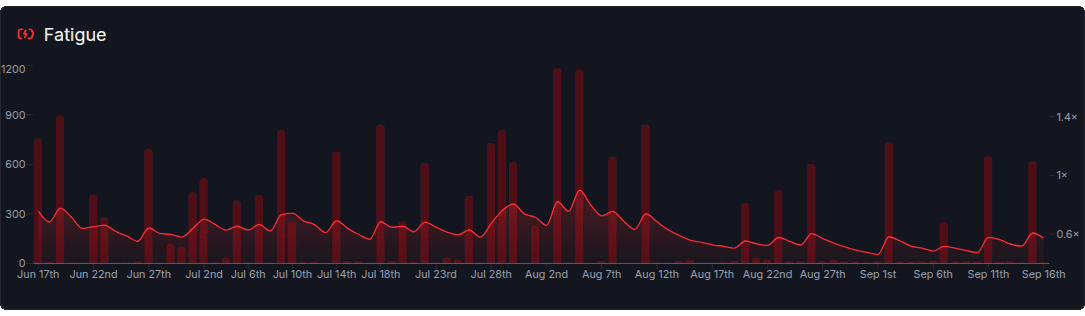
Fatigue that follows your recovery, not a fixed formula
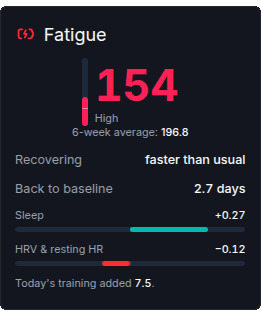
How fast fatigue fades depends on how well you're actually recovering. LoadLab checks your sleep, HRV and resting heart rate against what they should be after last night and yesterday's training. Beat that and the work is being absorbed. Fall short and the fatigue stays.
- See whether you're recovering faster or slower than usual, and how many days until you're back to baseline
- Hard intensity counts for more than easy volume
- Fatigue uses the same units as adaptation, so you can weigh benefit against cost
A coach's read on every ride
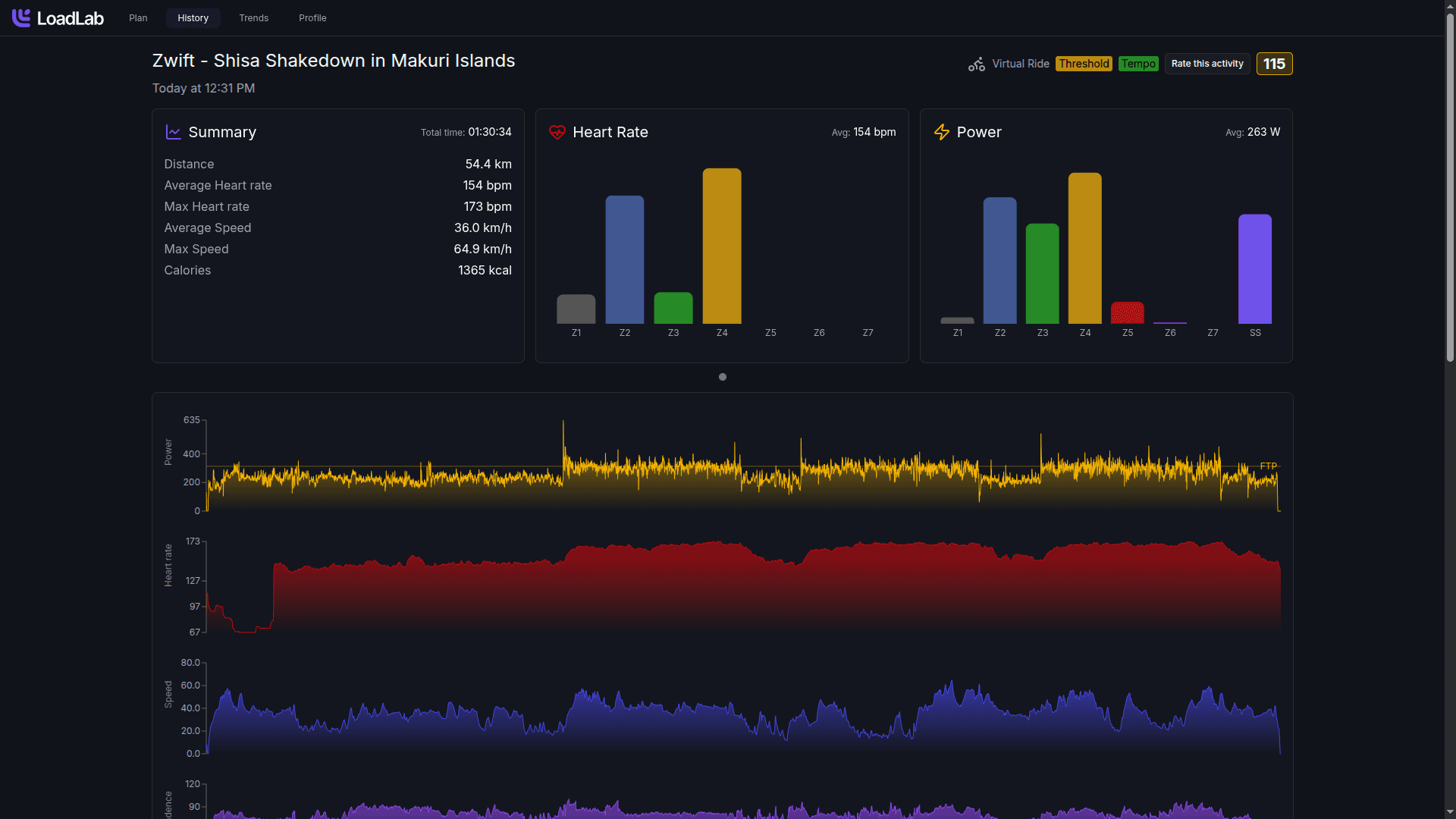
Every completed activity gets the full treatment: streams, intervals and zones, a readiness check, and a comparison against what was planned.
- Readiness: how rested you were going in
- Zone-by-zone comparison with the planned workout, and a completion score
- Indoor rides drawn on the right Zwift world map
Feedback written for this ride, and for you
After every session the coach writes up what happened and what it means. The tone follows the ride: enthusiastic after a race or a big day out, short and factual after a recovery spin, never patronizing.
- Compares the ride with your own history, like more power at the same heart rate than four weeks ago
- Takes your sleep, schedule and a lighter training phase into account
- Explains what the session trained and why it matters for your goal
 Activity Breakdown
What a massive shift on the bike! Knocking out a 3.5-hour outdoor epic with 180 training load in the Surrey Hills — especially on a night of sub-6-hour sleep while juggling dad duties with little Oliver — shows incredible grit and physical resilience.
Your ride, told stretch by stretch
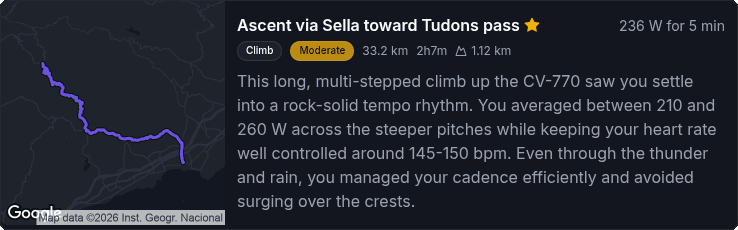
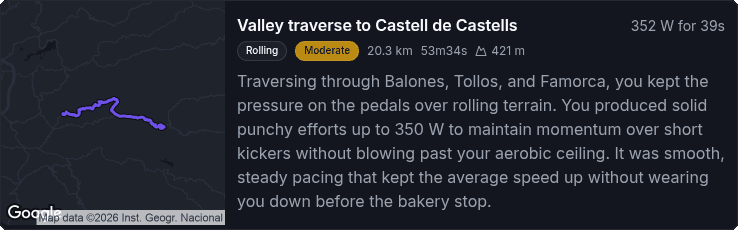
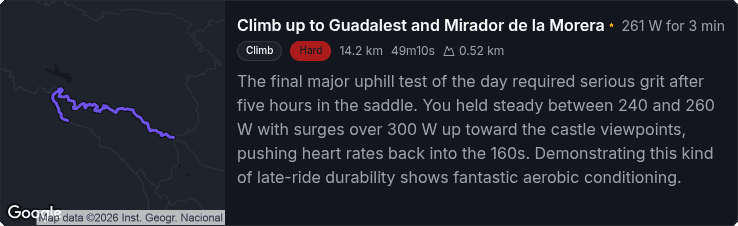
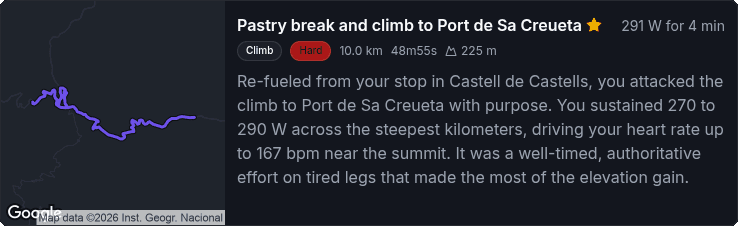
LoadLab splits every outdoor ride into the climbs, descents and rollers that mattered, names them after the places you rode through, and tells you how you paced each one and whether that made sense for the terrain.
- Terrain type, effort level and distance, time and climbing for each stretch
- The number that defined it, like 291 W for 4 minutes
- The key moments of the ride marked and drawn on the map
Goals & Training Blocks
Aim for an event (date, distance and course profile) or a focus like raising FTP or building consistency. The coach writes four-week blocks week by week, with target hours, load and the reasoning behind each week.
Plans Sized to Your Week
Tell LoadLab how much time you have each day. Under 5 hours a week it focuses on quality over volume. At 10–15 hours it runs a strict 80/20 polarized plan. Above 20, it keeps an eye on your sleep and fueling.
Workouts Written Like a Coach
Every session explains what to do and why now, then becomes a step-by-step interval file. It accounts for your schedule, recovery and the weather forecast. Commit it and it goes to your calendar and head unit.
Hill & Route Finder
LoadLab maps the climbs near home from your own rides and picks ones that take about as long as your intervals, with gradient, profile and your best times. Endurance days get routes of the right length on roads you know.
Zwift Event Matching
Riding indoors? LoadLab checks the live Zwift event calendar for events that fit the session's sport, duration and intensity for your FTP, with quieter events listed first.
History & Statistics
Six-week overviews, day-by-day week views, and activity lists colour-coded by sleep and heart rate. Breakdowns by training, recovery, sport, adaptation and fatigue come with charts and written summaries.
From Goal to Today's Intervals
From your goal, to a training block, to today's intervals, to the climb you'll do them on.
Connect Once
Link Intervals.icu and LoadLab brings in your full history: activities, power and heart-rate streams, sleep, HRV and more. Garmin, Wahoo, Zwift and Strava data comes along with no extra setup.
Tell It About Your Life
A short onboarding covers your experience, sports, available time each day, session-length limits and weather tolerances. Then set an event or focus goal.
Get a Block, Then a Session
The coach writes a four-week block and fills it with structured workouts, plus the climb, route or Zwift event to do each one on. Commit a session and it lands on your head unit.
Ride, Then Review
After every activity you get a written review, a readiness check, a route breakdown and a score against the plan. Your adaptation and fatigue update for tomorrow.
Connect Once, Then It's Automatic
Connect once and it runs on its own. LoadLab works with the devices and apps you already use.

Intervals.icu
One connection brings in your activities, data streams, zones and daily wellness, and keeps them up to date.
Your Devices
Garmin, Wahoo, Zwift, Strava and anything else that syncs to Intervals.icu works automatically.
Calendar & Head Unit
Committed workouts sync back as step-by-step structured sessions, ready to ride.
Zwift Events
The live event feed is matched to your sessions, and indoor rides are drawn on the right Zwift world map.
Free During the Open Beta.
LoadLab is in open beta. Every athlete gets the full LoadLab experience, completely free, for as long as the beta runs.
Full access to everything LoadLab offers while we're in open beta. No tiers, no feature gates.
No credit card required.
- AI-written training blocks and structured workouts
- Adaptation and recovery-driven fatigue tracking
- Coach reviews, route analysis and plan matching for every activity
- Hill, route and Zwift event suggestions for each session
- Workouts synced to your calendar and head unit
- Full statistics and history
- Intervals.icu integration
No credit card required. We'll let you know well before the beta ends.